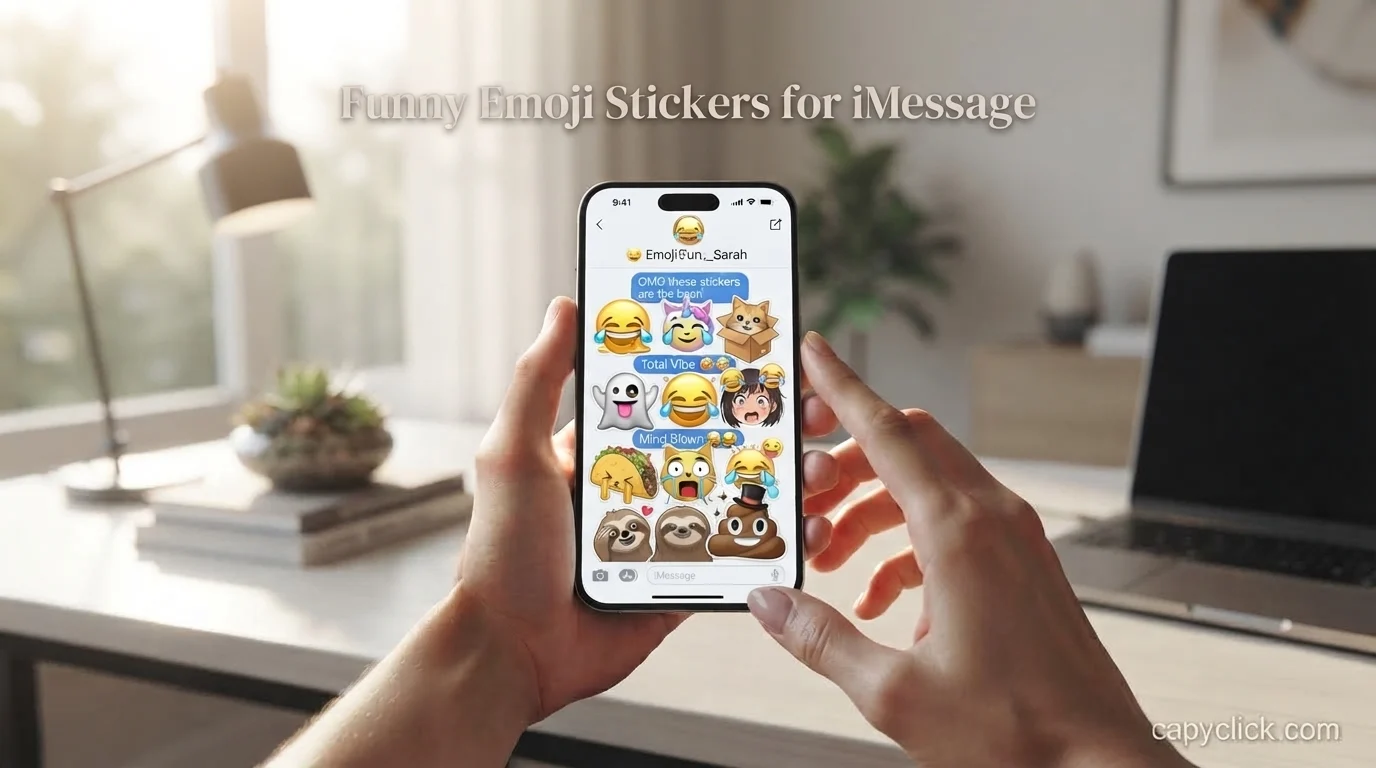
Funny emoji stickers for iMessage can make an ordinary text much more entertaining. Instead of replying with only words, you can send a laughing face, dramatic reaction, silly character, or custom sticker that perfectly matches the moment. On iPhone, you can use emoji stickers, Memoji stickers, Live Stickers, and stickers created from your own photos.
The best part is that you do not always need a separate sticker app. Apple lets you access stickers directly through Messages and the iPhone keyboard, while third-party sticker apps can add even more choices.
Quick Answer: What Are Funny Emoji Stickers for iMessage?
Funny emoji stickers for iMessage are playful images or emoji-based stickers you can send in Apple’s Messages app to show humor, reactions, feelings, or inside jokes.
You can use:
- 😂 Laughing and crying-laughing stickers
- 🤣 Over-the-top funny reactions
- 😭 Dramatic reaction stickers
- 🙄 Eye-roll stickers
- 🤦 Facepalm stickers
- 😎 Cool or sarcastic stickers
- 🤡 Silly or ridiculous stickers
- 🫠 Melting-face reactions
- Memoji stickers with funny expressions
- Custom stickers made from your photos
- Live Stickers made from Live Photos
- Third-party sticker packs
Apple currently provides sticker collections through Messages, including Live Stickers, emoji stickers, Memoji stickers, and stickers from other creators.
What Makes a Sticker Funny?
A funny sticker does not necessarily have to contain a joke. Sometimes the humor comes from using the right reaction at exactly the right moment.
For example, your friend might say, “I studied for five hours and still forgot everything.”
Instead of writing a long reply, you could send a dramatic 😭, a facepalm 🤦, or a funny Memoji reaction.
The sticker becomes funny because it adds emotion to the conversation.
Some popular types include:
| Sticker type | Best use |
|---|---|
| 😂 Laughing | Something genuinely funny |
| 🤣 Rolling laughter | Extremely funny moments |
| 😭 Crying | Dramatic or hilarious situations |
| 🤦 Facepalm | Mistakes and silly decisions |
| 🙄 Eye roll | Sarcasm or annoyance |
| 🫠 Melting face | Awkward or overwhelming moments |
| 🤡 Clown | Calling out something ridiculous |
| 😎 Cool face | Playful confidence |
| 😳 Shocked face | Unexpected news |
| 🥲 Smiling with tears | Funny but painful moments |
The key is matching the sticker to the conversation instead of sending random stickers every time.
How Do You Send Funny Stickers in iMessage?
On a supported iPhone, you can open Messages, enter a conversation, tap the Add button, choose Stickers, and then select the sticker category you want. Apple provides options such as Live Stickers, Emoji stickers, and Memoji stickers.
You can also access stickers from the emoji keyboard.
Method 1: Use Stickers in Messages
- Open the Messages app.
- Open a conversation.
- Tap the Add button.
- Tap Stickers.
- Choose Emoji, Memoji, Live Stickers, or another available pack.
- Tap the sticker you want.
- Add a message if you want.
- Tap Send.
You can also drag a sticker onto a message bubble. Apple allows you to adjust its size and angle, and you can even place one sticker over another.
Method 2: Use the iPhone Keyboard
Open a text field and switch to the emoji keyboard. From there, you can browse emoji, Memoji, and stickers.
Your frequently used stickers can also appear in the keyboard, making it easier to find your favorite funny reactions.
50 Funny Emoji Sticker Ideas for iMessage
If you need ideas for your next conversation, these reactions can work in many everyday situations.
When Something Is Hilarious
- 😂 I can’t stop laughing
- 🤣 That was too funny
- 😂 You actually said that?
- 🤣 I’m finished
- 😭 Why am I laughing this hard?
- 😂 Stop, I’m crying
- 🤣 This conversation is getting out of control
- 😭 My stomach hurts from laughing
- 😂 You win
- 🤣 I’m done
For Sarcasm
- 🙄 Sure, totally believable
- 😏 Interesting…
- 🤨 Are you serious?
- 😑 Okay then
- 🙃 Everything is fine
- 😌 As you say
- 🤡 What a brilliant idea
- 😭 Absolutely devastating
- 😎 Obviously
- 🙄 I expected nothing less
For Awkward Moments
- 🫠 I’m just going to disappear
- 😳 Oh no
- 🫣 I didn’t see that
- 😭 Please forget this happened
- 🫠 This is painful
- 🤦 Why did I do that?
- 😬 That was awkward
- 😭 I want to go home
- 🫣 Nobody saw that, right?
- 🤦 I have no explanation
For Friends
- 😂 You’re impossible
- 🤣 Best friend behavior
- 🤦 What are you doing?
- 😭 You always make me laugh
- 😎 That’s my friend
- 🤡 We’re both ridiculous
- 🫠 I can’t deal with you
- 😂 Here we go again
- 🙄 Typical you
- 🤣 Never change
For Dramatic Reactions
- 😭 This is the worst day ever
- 😱 WHAT?
- 🫠 I’m not okay
- 🤯 My brain cannot process this
- 😭 Somebody help me
- 😳 No way
- 🫣 I wasn’t ready for that
- 🤦 This cannot be real
- 🤣 I’m actually losing it
- 😂 You made my day
Can You Make Your Own Funny Emoji Stickers?
Yes. Your iPhone can create stickers from subjects in your photos. Apple also supports animated stickers from Live Photos.
This can be especially fun when you have a funny picture of yourself, a friend, a pet, or a memorable moment.
How to Make a Sticker From a Photo
Open the Photos app and select a photo.
Touch and hold the main subject in the image. When the subject is selected, choose Add Sticker.
The new sticker is added to your sticker collection. Apple also provides effects such as Outline and Comic, and a Live Photo can be used to create an animated Live Sticker.
Imagine taking a funny picture of your friend making a strange face and turning just their face or body into a sticker. You can then use that sticker in future conversations.
That can be much more personal than a standard emoji.
Funny Memoji Stickers for iMessage
Memoji stickers are another easy way to add humor to messages.
You can create a Memoji that resembles you and use different expressions or poses in conversations. Apple says Memoji can be customized with features such as hairstyle, eyes, and other appearance details, and the resulting Memoji can be used as stickers.
Funny Memoji ideas include:
- Memoji laughing
- Memoji crying
- Memoji shocked
- Memoji covering its face
- Memoji rolling its eyes
- Memoji celebrating
- Memoji looking confused
- Memoji giving a thumbs-up
- Memoji looking embarrassed
- Memoji pretending to be innocent
Memoji stickers work particularly well when you want the reaction to feel more personal.
Can You Put Stickers on iMessage Bubbles?
Yes. Stickers do not have to be sent as a separate message.
Apple allows you to place stickers directly on message bubbles. You can drag them onto a bubble and adjust their size or angle. You can also place one sticker over another.
For example, your friend says:
“I only bought one thing.”
You can place a shocked 😳 sticker directly over the message.
This style can make a normal conversation feel more playful.
You can also touch and hold a message and use the sticker option to quickly attach a sticker to that message.
Funny Sticker Combinations You Can Try
One sticker is great, but combinations can create an even stronger reaction.
Here are some simple ideas:
- 😂 + 🤣 = Can’t stop laughing
- 😳 + 😭 = Shocked and overwhelmed
- 🤦 + 😂 = Funny mistake
- 🙄 + 😑 = Serious sarcasm
- 🫠 + 😭 = Completely overwhelmed
- 🤯 + 😳 = Unexpected information
- 😎 + 🔥 = Confident reaction
- 🤡 + 😂 = Something ridiculous
- 🫣 + 😭 = Embarrassing situation
- 😭 + 😂 = Laughing through the pain
You can also combine a sticker with a short message instead of sending a large block of text.
For example:
“You really did that? 😂”
Or:
“I cannot believe you 🤦”
The sticker adds emotion while the words explain the reaction.
Funny Stickers vs Regular Emojis
Regular emojis and stickers may look similar, but they are not exactly the same.
An emoji is a standardized character that can be placed naturally inside text. A sticker is more like a visual element that you can send separately or place on a message bubble.
On iPhone, Apple’s sticker system includes emoji stickers, Memoji stickers, Live Stickers, and third-party sticker packs.
| Feature | Emoji | Sticker |
|---|---|---|
| Works inside text | Yes | Usually separate |
| Can be placed on message bubble | Not in the same sticker-style way | Yes |
| Can be made from photos | No | Yes |
| Can be animated | Some emoji effects vary | Live Stickers can be animated |
| Personalized | Limited | Highly customizable |
| Memoji support | Separate feature | Yes |
This is why someone searching for “funny emoji stickers for iMessage” may actually be looking for a mixture of emoji reactions and sticker-style images.
Where Can You Find More Funny Sticker Packs?
Apple’s Messages sticker area can include stickers from other creators. To get additional options, you can download compatible sticker apps from the App Store.
When choosing a sticker pack, look for collections that match the type of conversations you normally have.
For example:
- Meme-style stickers for friends
- Cute stickers for couples
- Reaction stickers for group chats
- Animal stickers for casual conversations
- Funny character stickers
- Sarcastic reaction packs
- Holiday-themed stickers
- Memoji-style stickers
A smaller collection of stickers you actually use is usually more practical than having hundreds that you never open.
Common Mistakes When Using Funny iMessage Stickers
Funny stickers are supposed to make conversations easier and more enjoyable, but a few mistakes can make them less effective.
Using Too Many Stickers
Sending ten stickers in a row can make the conversation difficult to follow.
Usually, one strong reaction is enough.
Using the Wrong Emotion
A laughing sticker may seem strange when someone is sharing serious news.
Always consider what the other person is saying before choosing a reaction.
Covering Important Text
When placing a sticker on a message bubble, avoid covering the part your friend needs to read.
Apple provides options for moving and resizing placed stickers, so you can position them more carefully.
Choosing Random Stickers
A sticker is funniest when it connects to the conversation.
A random reaction may confuse the other person instead of making them laugh.
Forgetting About Custom Stickers
Many people only look for downloadable sticker packs. However, you can make stickers from your own photos directly on supported iPhone software.
Sometimes your own funny photo makes the best sticker.
Practical Tips for Better iMessage Reactions
Keep your favorite reactions easy to access. Frequently used stickers can appear in the iPhone keyboard’s sticker area.
Create a small personal collection for different situations. You might keep a laughing reaction, facepalm, shocked face, sarcastic reaction, and one or two custom stickers.
Use custom stickers for inside jokes. A sticker based on a shared memory can be much funnier to a close friend than a generic reaction.
Try placing stickers directly on message bubbles when the situation calls for a visual response. This can make it obvious which part of the conversation you are reacting to.
Also remember that sticker support and appearance can depend on the devices and software versions being used. Apple notes that certain sticker-bubble updates require compatible software on the participating devices.
Frequently Asked Questions
1. What are funny emoji stickers for iMessage?
They are playful emoji-based or sticker-style images used in Messages to express laughter, sarcasm, surprise, embarrassment, excitement, and other reactions.
2. Can I use emoji as stickers on iPhone?
Yes. Apple’s current Messages sticker system includes an Emoji sticker collection, alongside Live Stickers and Memoji stickers.
3. Can I make my own funny iMessage stickers?
Yes. You can create stickers from subjects in photos, and Live Photos can be used to create animated Live Stickers.
4. Can I put a sticker directly on an iMessage?
Yes. You can drag a sticker onto a message bubble and adjust its size and angle. You can also place stickers on top of other stickers.
5. Are Memoji stickers available in Messages?
Yes. Memoji can be customized and used as sticker packs in Messages and other supported apps.
6. Can I get more funny sticker packs?
Yes. Apple supports sticker apps and sticker packs from other creators, which can provide additional designs and reactions.
7. Can I use stickers from the iPhone keyboard?
Yes. You can access emoji, Memoji, and stickers from the iPhone keyboard while typing in supported apps.
8. Why are my stickers not appearing the same way for everyone?
Sticker features can depend on the device and software version being used. Some newer sticker interactions require compatible Apple software on the devices involved.
Conclusion
Funny emoji stickers for iMessage are an easy way to make everyday conversations more expressive. From 😂 and 🤣 reactions to Memoji, Live Stickers, and custom stickers made from your own photos, iPhone gives you several ways to add humor without writing a long response.
The best sticker is usually the one that fits the moment. Keep a few favorite funny reactions ready, experiment with custom photo stickers, and use stickers directly on message bubbles when you want to make your response stand out.

I am Troy James, Administrator at CapyClick. I help create and organize creative, stylish, funny, and meaningful captions that inspire users to make their social media posts stand out.